

Website to web app Australia

Website to Web App Australia — without replacing your site.

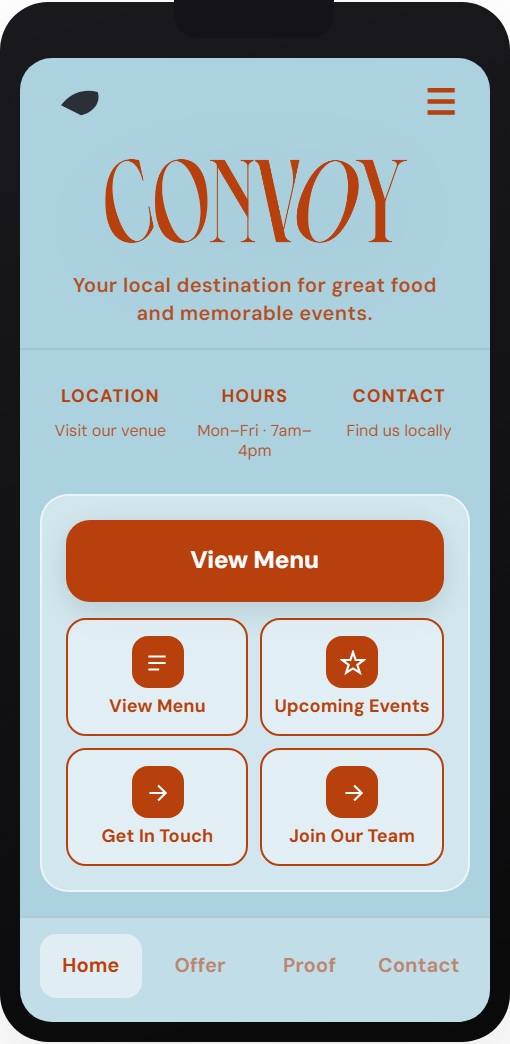
Wipper builds a separate app-style customer hub that works alongside your existing website. You keep your site. You add a faster mobile path. Preview shows the exact hub your customers would see.

Public-site scan only. Human reviewed before any paid build. Web/PWA first; native scoped separately.

Example order hub preview on mobile

Real output

Same engine. Their brand. Your industry.

convoymooneeponds.com.au
Cafe & food order hub — source website
Cafe & food order hub — Wipper preview on mobile

Generated from a real Australian business website — paste yours above for the same quality-checked preview.

Website to web app

A web app is the fastest way to test an app idea without rebuilding everything

What changes

Your main website remains the source of truth for search, trust and general information. Wipper adds a mobile-first web app path for the jobs customers usually try to complete on a phone: quote, book, order, reserve, enquire, check services or return quickly.

Why web app before native app

A web app can be opened from a link, added to a phone home screen and shared from Google Business Profile or social posts. That makes it useful for testing demand before committing to App Store review, native builds or long platform migrations.

Where it fits

Wipper is useful when the existing website is credible but too slow, broad or awkward for mobile action. The customer hub gives the visitor one focused next step while your current site keeps doing the broader SEO and trust job.

Examples

A restaurant can route visitors into reservations or pickup. A tradie can collect job details before a callback. A studio can surface timetable, intro offer and class booking. A clinic can simplify service selection before enquiry.

What Wipper needs

The preview needs only a public website URL. A production build needs the real operating pieces: forms, booking links, menu data, quote questions, payment rules, support owner and launch locations.

How to judge the preview

Look for brand match, clear customer action and operational fit. If the preview is generic, missing key services or points at the wrong action, it needs human review before any paid work.

Web app vs native app

A Wipper web app is opened from a normal link, works on mobile browsers and can be added to a phone home screen. That is usually the right first step for Australian small businesses because it can be tested through Google, QR codes, SMS and social links before a native iOS or Android app is justified.

Typical launch scope

The first launch normally focuses on one money action: booking, quote request, order, reservation, intake or repeat-customer support. Keeping the first web app narrow makes it easier to measure visits, clicks, enquiries and whether customers actually use the new path.

Pricing signal

The free preview is for fit checking. Paid work starts with a scoped build or Hub Care plan only after the preview, customer action, content source and launch links are clear.

Ready to see your preview?

Check my website